
Peatix Design System
Creating a shared design language
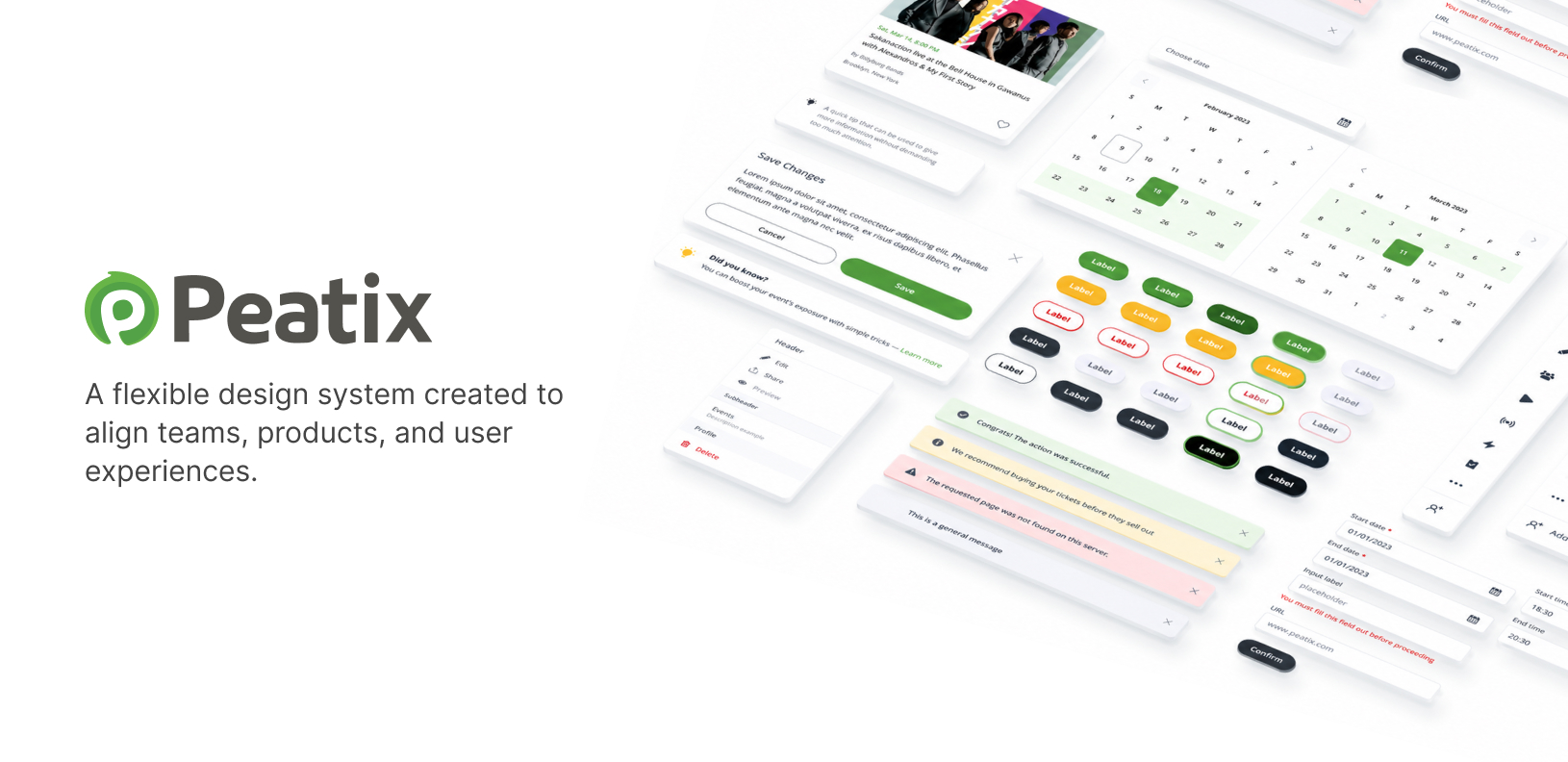
Peatix had different greens, shapes, and sizes everywhere. I built its first design system to give the product a clearer identity and the team a shared place to start.
Background
A familiar brand, an inconsistent product
Peatix helps organizers create and manage events, and attendees find events to go to. This system was built for the Japanese product. I created a separate system for the US product.
There was no design system when I began. I led and owned the design work, creating the components and rules myself. The system eventually covered the full web product and parts of the iOS and Android apps.
Problem
It felt like the Wild West
The product needed a clear identity to stand behind. Different greens, shapes, colors, and sizes appeared throughout the experience. It felt like the Wild West.
Peatix had a brand, but the interface didn't express it consistently. Without shared rules or components, there was no common starting point for the next piece of design work.
I saw this as a chance to bring the product together and give it a visual overhaul. That meant making decisions we could reuse across screens, instead of treating each screen as a separate exercise.
“There were brand colors of all varieties. It was like the Wild West.”
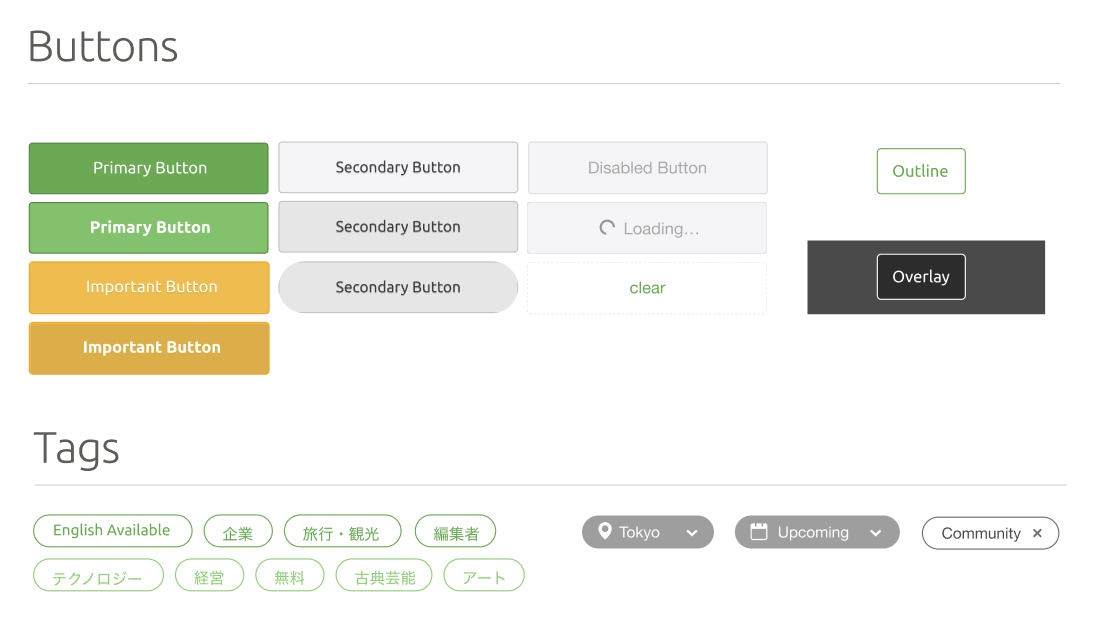
Different greens, shapes, and sizes across the product showed the need for a shared foundation.
Objective
A clearer identity for Peatix
I wanted the product to stay recognizable as Peatix while giving it a more consistent visual direction. There was room for new colors and typography without abandoning the brand people already knew.
It was a substantial overhaul. I also wanted the system to be practical: something designers could use in their work and engineers could implement through shared frontend components.
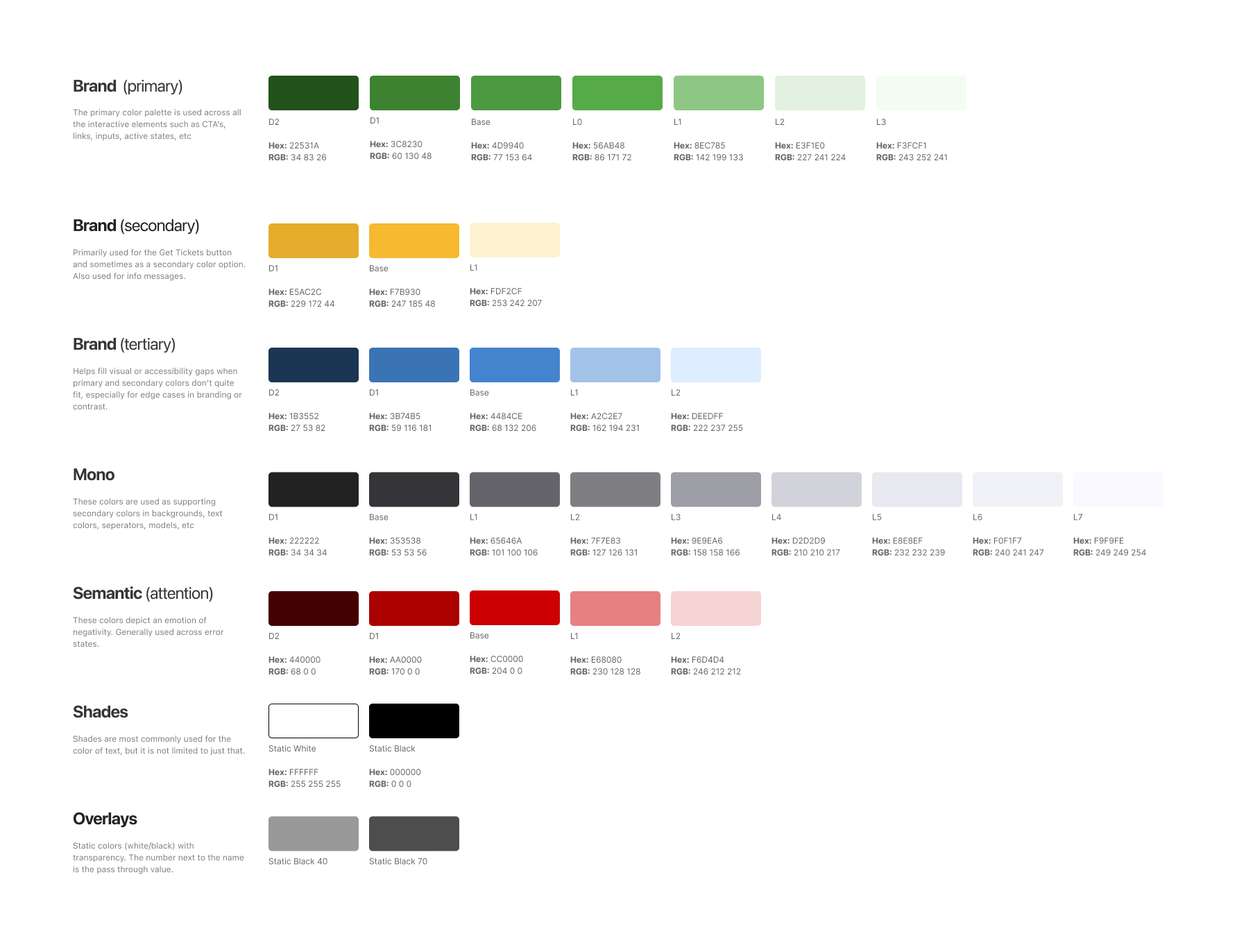
A visual overhaul that kept Peatix recognizable while introducing new colors and typography.
Process
From foundations to patterns
I established the tokens and typography first. From there, I built smaller components and used those as the foundation for more complex patterns. The first usable version took about three months.
The event card showed why those larger patterns needed careful thought. It appeared in attendee and organizer views, with different event statuses and different amounts of space. I needed to understand its uses before deciding how the pieces fit together. The questions below describe that work.
Mapping the card's architecture helped me see which states belonged together. They didn't all need to appear at once, and some combinations couldn't occur. Understanding those relationships was part of designing the component.
Component anatomy
The event card was more than one card
An event card in search results needed more information in a condensed space. Mobile introduced its own limits on what would fit. I had to account for those contexts as well as draft, published, finished, sold-out, and selling-fast states, plus attendee actions such as favoriting an event.
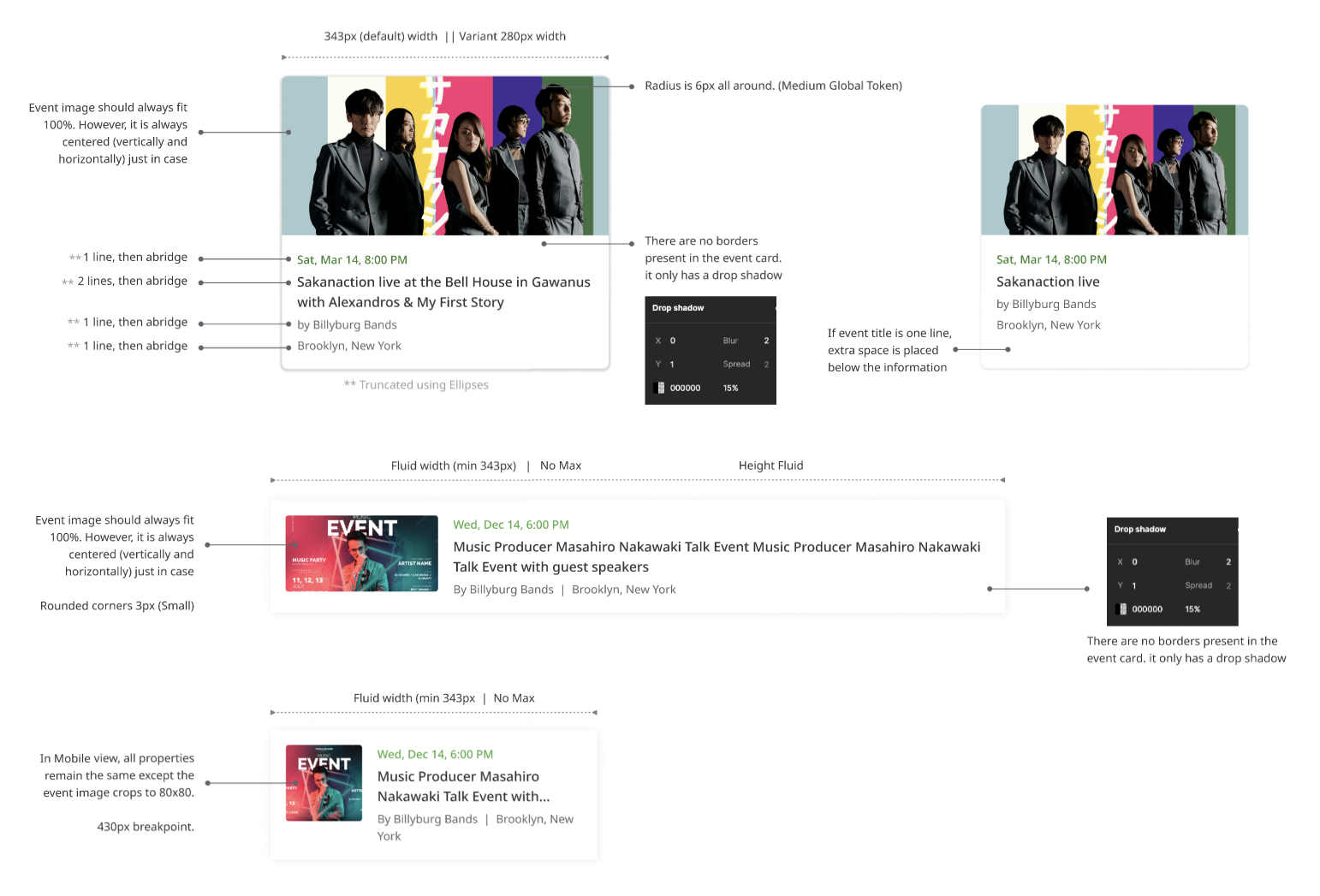
The event card needed to account for different audiences, statuses, and layouts.
Iconography
The small details belong together
Keeping the system consistent meant looking at how the details worked together across the product. The icons below are illustrative; the ongoing work was checking components in context and updating the system as needs changed.
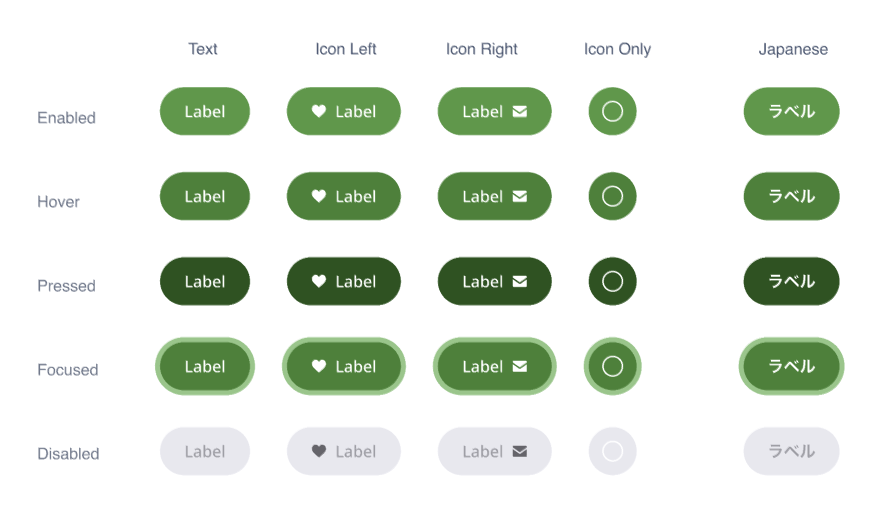
Smaller components provided the foundation for more complex patterns.
Adoption
From Figma into everyday use
Designers adopted the system first. Engineers then incorporated the components into Storybook, where they maintained the frontend implementation. Once a component existed, they used it.
My role was to lead the design work and advocate for the time and attention it needed. I encouraged people to use the system and keep it consistent, and continued updating it as we saw how it worked across the product.
Figma adopted by designers
Designers began working from the components and rules I created.
Components available in Storybook
Engineers incorporated the components and maintained the frontend implementation.
Existing components reused
If a component was already available, engineers used it.
System maintained over time
I continued updating components and checking how they worked across the product.
Outcome
Less rebuilding, faster implementation
Implementation became faster for both designers and engineers because the components already existed in Figma and Storybook. They could use what was there rather than build the same thing again.
That was the practical value of the system: the shared components became part of how the team worked. The benefit showed up whenever an existing component could be used for the next screen or feature.
Reflection
Build it expecting it to change
The first usable version took about three months. Keeping it useful was ongoing work.
I kept updating the system and stepping back to see how it worked across the product. A component needed to make sense in the places people actually used it, including contexts that asked for a different layout or more information.
The event card made that especially clear. Its job changed between organizer views, attendee views, search results, and mobile. Consistency had to leave room for those differences.
If I did it again, I'd plan for change from the beginning. Components evolve as you use them in more places and discover needs you didn't anticipate.
I'd treat the system as a product that keeps developing, with room to revise earlier decisions as the rest of Peatix changes.
3
Months to the first usable version
1
Designer owning the system
2
Libraries: Figma and Storybook
3
Platforms covered, with partial app coverage
WHAT'S NEXT
Interested in working together?