Peatix Check-In
Rethinking the check-in experience
Long lines at larger events led me to rethink check-in around the attendee's phone. We launched in 2019, then adapted the experience when COVID changed what people were comfortable doing at the door.
Background
The line was getting longer
Organizers of larger events were telling us that getting people through the door took too long. As check-in slowed down, the lines grew and attendees struggled to get into the event on time.
I proposed the new check-in approach and owned the full design experience. I was the only designer, working with one PM, one iOS engineer, and one Android engineer. We launched the redesigned experience in 2019.
Problem
Why did everyone need a device?
Scanning meant bringing two devices together: the attendee's phone showing the ticket and the organizer's device scanning it. It also depended on a good internet connection. At busy events, that setup was getting in the way.
It limited who could help, too. An organizer might have friends or co-organizers available to work the door, but each person needed a device to scan tickets. I wanted to make it easier to bring those extra hands into check-in.
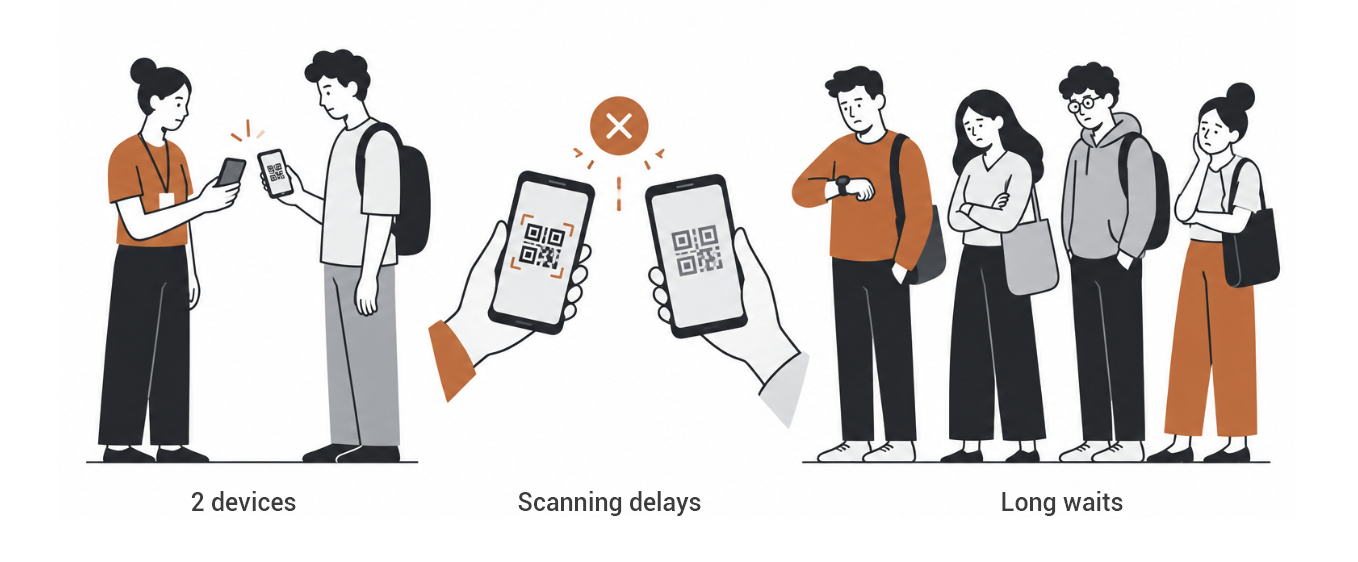
The original scanning approach depended on an attendee device, a staff device, and connectivity.
What if event staff could check someone in using the phone already showing the ticket?
The idea
Check in on the phone already at the door
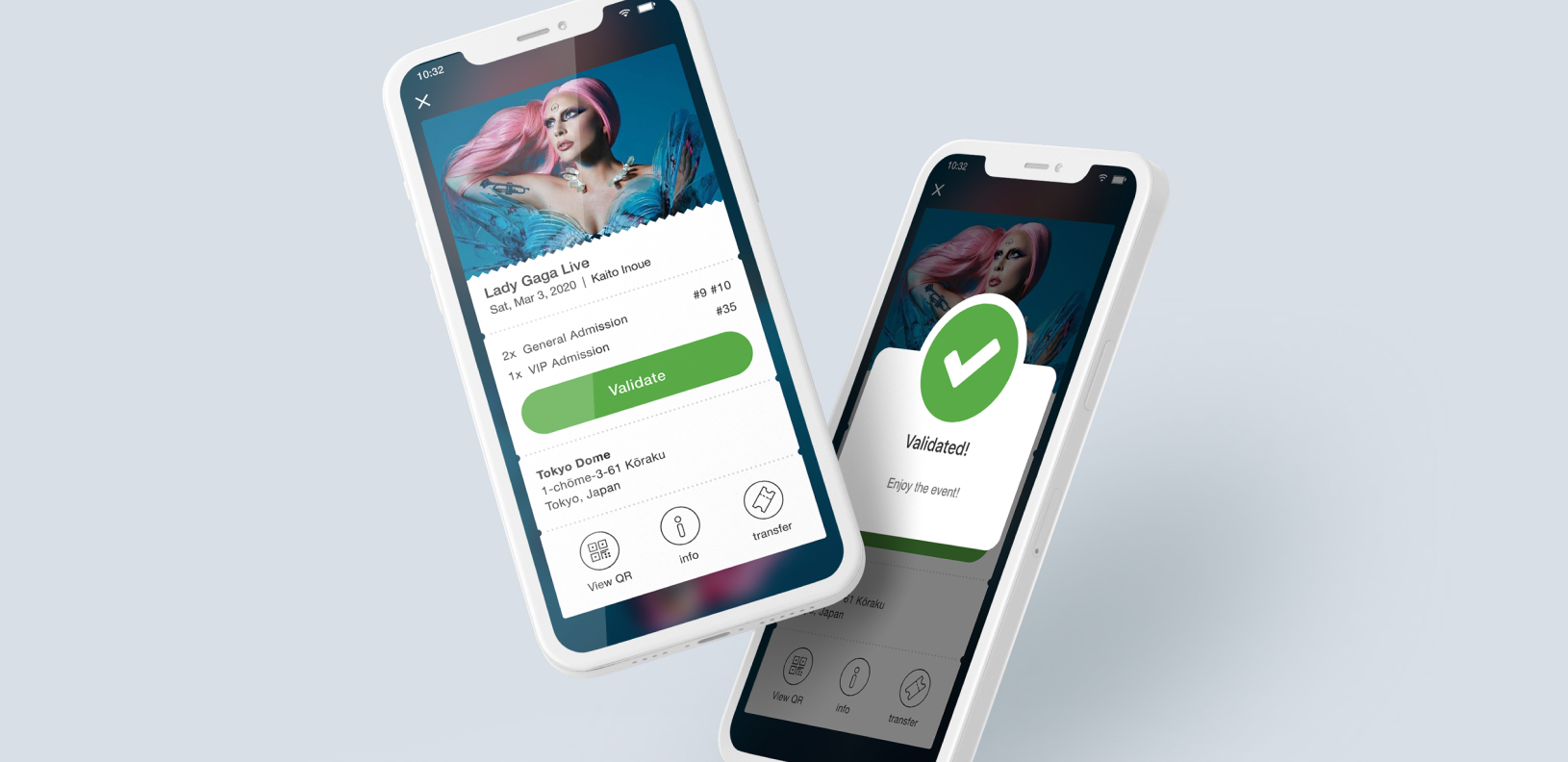
The idea was to let event staff check someone in on the attendee's phone. Staff would tap the check-in control on the ticket and confirm that they were event staff before proceeding. We called it two-touch check-in.
That meant helpers didn't need their own scanning devices or internet connections. QR scanning remained available as a secondary option, and organizers could still look up attendees by name and check them in manually.
Ticket and interaction design
A ticket people could recognize and use
I also completely redesigned the ticket. The old interface felt dated and wasn't using our design system's tokens or components. I made it look more like a physical ticket, with a clearer, more prominent event banner.
A large check-in button made the action easy to find, while the necessary ticket information stayed within reach. The event ID gave staff a reference they could recognize and check against their event.
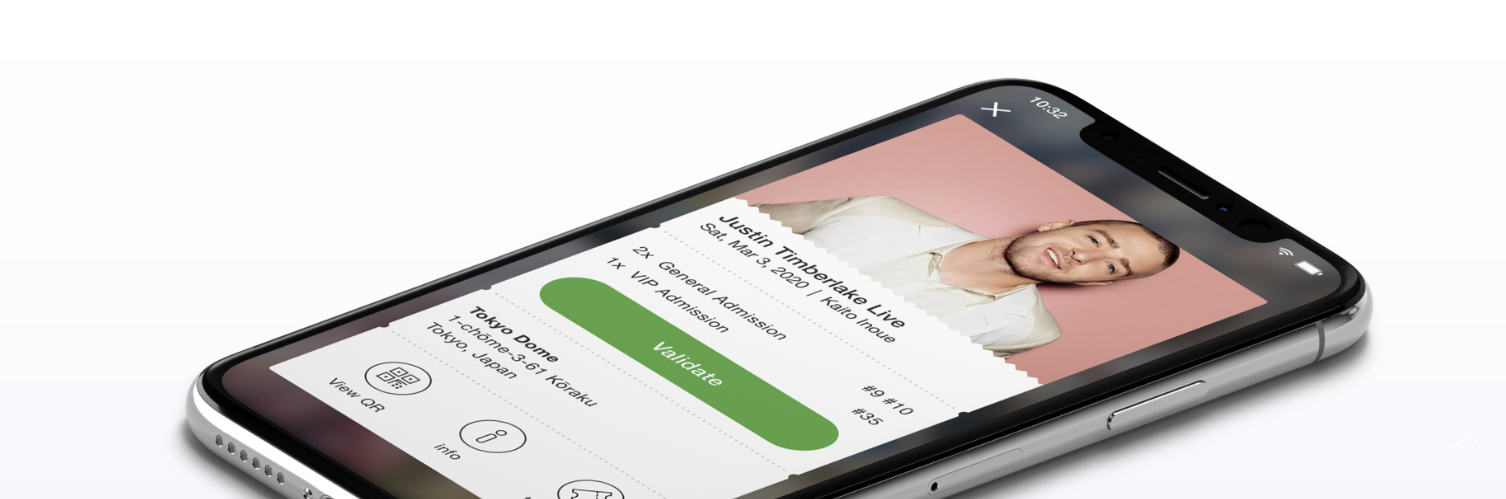
Ticket detail: check-in controls and the event ID stayed accessible on the attendee’s phone.
We quickly realized attendees might tap check-in themselves just before showing their ticket. I added a confirmation screen asking, ‘Are you the event staff?’ It explained who should validate the ticket and gave attendees a way to go back. In a two-week measurement period, accidental attendee check-ins fell from 4.5% to 0.3% after we added that step.
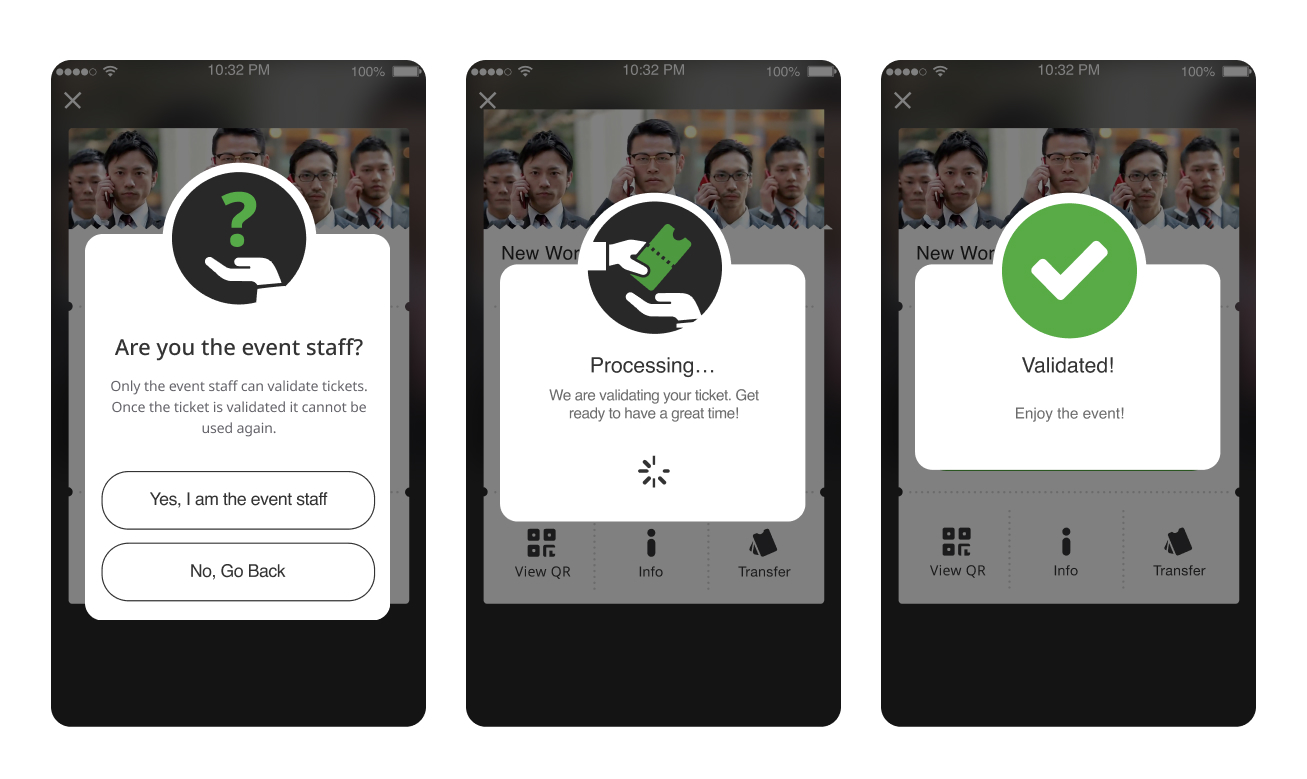
The staff confirmation screen helped prevent attendees from accidentally checking themselves in.
Adapting through COVID
When touching another phone became a problem
When COVID arrived, people no longer wanted to touch each other's phones. The interaction we'd designed was suddenly less suitable for the situation. We made QR scanning the primary method again and moved two-touch check-in into a secondary position.
Later, as pandemic conditions eased, we brought two-touch check-in back to the foreground. Feedback from organizers of larger events—the audience we'd designed it for—told us they preferred that method. Keeping both options gave us room to adapt.
Two-touch check-in
Staff could check people in on the attendee’s phone, without a separate scanning device.
QR scanning retained
Scanning became primary during COVID and remained available alongside tap check-in.
Offline access and later syncing
Attendees needed to load their ticket beforehand. Offline check-ins were confirmed when the phone reconnected.
Manual check-in available
Organizers could look up an attendee by name and check them in manually.
Outcome
One extra step made a difference
The clearest measured improvement was the drop in accidental attendee check-ins, from 4.5% to 0.3%. The confirmation added a step, but it helped people understand that check-in was an action for event staff.
The feedback from larger-event organizers also mattered. They preferred two-touch when we brought it back. That gave us a reason to keep supporting the approach alongside QR scanning and manual lookup.
Reflection
A good solution still needs to adapt
I'm proud of the original idea, but also of how the team adapted it. We changed which method came first when the circumstances at the door changed, and revisited that choice later.
The confirmation screen was another reminder to pay attention to what people actually do. A visible check-in button looked like something attendees should tap themselves. Asking whether they were event staff clarified the action at the moment it mattered.
This project taught me to leave room for more than one way through an experience. Tap check-in, QR scanning, offline access, and manual lookup gave organizers options for different conditions.
4.5%
Accidental check-ins before confirmation
0.3%
Accidental check-ins after confirmation
2
Weeks in the measurement period
2
Native platforms: iOS and Android
WHAT'S NEXT
Interested in working together?